


Member Portal
Here is the information you need to access the new MarketXero user portal to manage your indicator subscriptions.
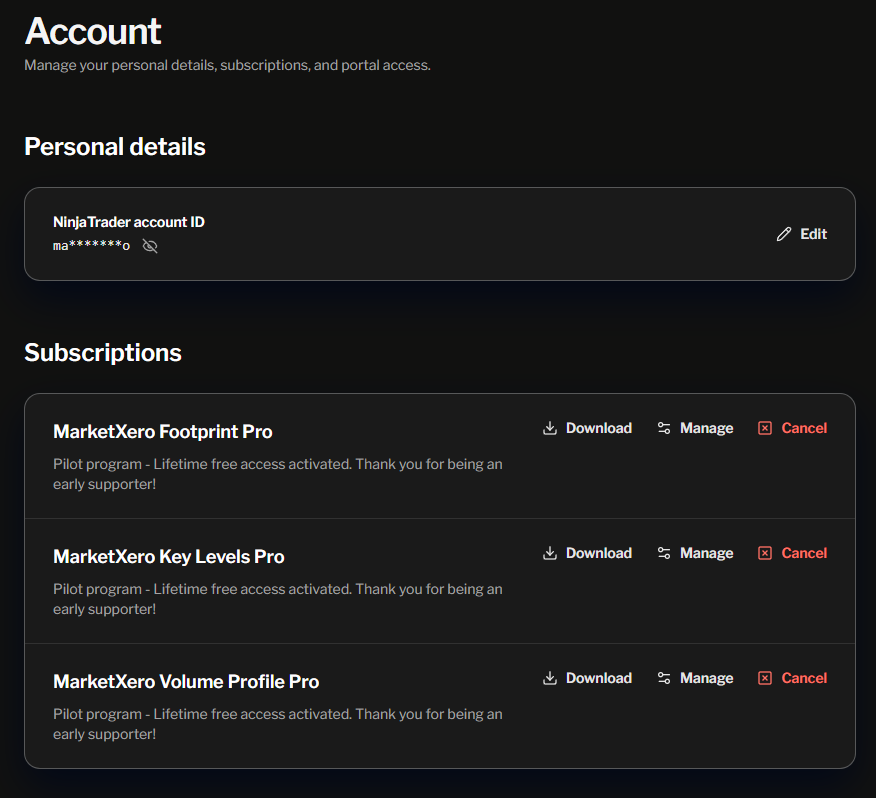
Activate Your NinjaTrader Indicator License
- Create an account. You must use the email that I sent you the invite through. If you want to use a different email, please let me know.
- Log into the MarketXero portal account.
- Enter and save your NinjaTrader ID in the required field
- This is the same ID you use to log in to NinjaTrader.
- DO NOT use your NinjaTrader password for any MarketXero accounts! Always use a unique password.
- Click ‘Activate Free License’ for the respective indicator
- Click ‘Download’
- Note, you can use these indicators on any computer logged in with your NinjaTrader account ID. You are allowed one running instance of any indicator on any computer.
Install and Setup MarketXero Indicators
- Remove the existing footprint indicator.
- The old machine ID indicator is no longer supported. Machine ID is no longer required, and the new portal-based indicator offers performance and usability improvements
- Control Center > Tools > Remove Ninjascript Assembly…
- Select the old footprint indicator and click “Remove”
- Add new indicator that you downloaded from the portal
- Control Center > Tools > Import > NinjaScript Add-On… and selecting the new file
- The new indicator will now be available in the list of indicators
- If you have problems installing the new indicator, you may need to restart NinjaTrader after deleting the old footprint and installing the new indicator.
Need help?
- Ask for help in Discord #help channel
- DM me on Discord @marketxero
- Email me at [email protected]
